
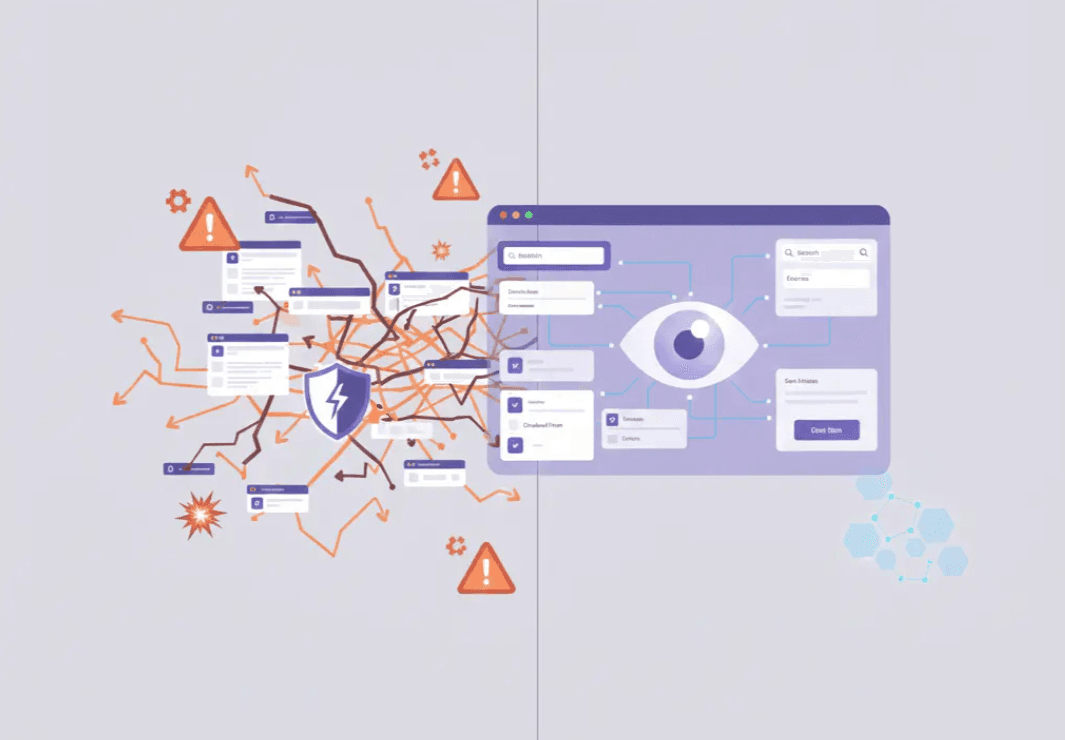
The software testing industry is currently flooded with promises. Every week, new AI-powered software testing platforms appear, claiming to revolutionize test automation, eliminate manual effort, and finally solve test maintenance. Buzzwords like agentic, autonomous testing, self-healing test automation, and generative AI dominate vendor messaging.
On paper, it all sounds compelling.
In practice, most AI in software testing works brilliantly in demos and collapses under real production pressure.
The problem isn’t artificial intelligence itself. The problem is that most AI testing tools are layered on top of traditional test automation, which was never designed for probabilistic systems. Adding machine learning to a brittle foundation doesn’t fix it. It hides the cracks until your pipeline starts failing.
If you care about reliable releases, scalable software test automation, and accurate test results, there are a few hard truths you need to understand before investing in any AI-driven testing tool.
The Precision Problem: Why 'Close Enough' is a Fail in Software Testing
In many domains, AI accuracy of 95% or 98% is considered impressive. In exploratory testing, recommendation engines, or analytics, that margin of error is acceptable.
But software testing is different.
The entire purpose of automated testing is to confirm quality before code reaches production. That requires deterministic outcomes, not statistical confidence.
Why test automation demands near-perfect accuracy
In automation testing, each UI interaction, assertion, or validation step must succeed every single time. A failure doesn’t mean “slightly wrong.” It means:
- blocked deployments
- broken CI/CD pipelines
- lost trust in automated testing
- growing reliance on manual testing
If a single interaction in a test script has a 99.97% success rate, that sounds excellent in isolation. But software test automation doesn’t work in isolation. Tests are chains of actions.
When you scale that across realistic test scenarios, accuracy collapses fast.
A test suite with:
- 1,000 UI interactions
- 99.97% accuracy per interaction
…will fail approximately 25.9% of the time.
That is not an edge case. That is a flaky pipeline. This is why flaky tests are not a tooling issue. They are a mathematical certainty when probabilistic systems are used for deterministic validation.
How Error Compounding Breaks Automated Testing
Every automated test case only passes if every step succeeds.
If each interaction has a success probability of 0.9997, the total pass rate becomes:
0.9997ⁿ, where n is the number of steps.
Concrete examples:
- 10 UI actions → 0.9997¹⁰ ≈ 99.7%
- 50 UI actions → 0.9997⁵⁰ ≈ 98.5%
- 100 UI actions → 0.9997¹⁰⁰ ≈ 97.0%
- 300 UI actions → 0.9997³⁰⁰ ≈ 91.4%
- 1,000 UI actions → 0.9997¹⁰⁰⁰ ≈ 74.1%
In other words, an end-to-end test with 1,000 steps fails roughly 25.9% of runs.
If per-interaction accuracy drops further to 99.9% (0.999), a 1,000-step test fails about 63.2% of the time
(0.999¹⁰⁰⁰ ≈ e⁻¹).
“Close enough” at the element level becomes unusable at the test case level.
The Myth of “AI-Native” and Self-Healing Test Automation
Many vendors describe their platforms as AI-native or AI-driven test automation. In reality, most tools still rely on:
- DOM selectors
- object maps
- accessibility trees
- XPath and CSS locators
AI is added afterward to patch failures.
This is what the market now calls self-healing test automation.
Why self-healing doesn’t solve test maintenance
Self-healing systems typically follow this pattern:
- Attempt the primary technical identifier
- Fall back to secondary locators
- Use visual similarity, position, or heuristics as a last resort
This does not remove brittleness. It redistributes it.
By combining multiple weak signals, AI-driven testing tools create systems that are harder to reason about, harder to debug, and less predictable under UI changes. Tests may pass, but not deterministically.
Why AI Agents and Generative AI Fail at Reliable Test Execution
Recent enthusiasm around AI agents, generative AI, and autonomous testing has pushed large language models into software testing workflows.
The problem is context.
Enterprise applications contain complex scenarios:
- visually identical buttons with different states
- conditional logic based on user role
- dynamic workflows tied to business rules
Even with millions of training samples, AI testing tools lack deterministic grounding.
Recent UI grounding benchmarks show:
- 17–18% element recognition accuracy on ScreenSpot-Pro
- 14.9% success on screenshot-only tasks
That means 4 out of 5 UI elements are misidentified.
Increasing model size from 2B to 72B parameters does not materially improve results. Models remain within the same accuracy band.
More parameters do not solve determinism.
What About Self-Healing?
Self-healing test automation is often presented as a breakthrough in AI in software testing, but in reality, it is a DOM-first patch applied to a fundamentally fragile system. When a locator breaks, the test automation tool cycles through alternates such as IDs, XPaths, visual cues, or positional heuristics in an attempt to keep automated testing running.
This approach can reduce immediate test failures, but it does not eliminate the root cause. It still inherits the brittleness of technical identifiers and shifts instability deeper into the testing process. As a result, teams experience fewer hard stops, but more flaky tests, inconsistent test results, and harder-to-debug failures during test execution.
In other words, self-healing does not fix software test automation. It disguises its weaknesses.
A context-first, user-centric approach avoids self-healing altogether by targeting UI elements based on meaning, relationships, and interaction rules, not fragile selectors. This distinction is critical as AI changes software testing from script-driven execution toward behavior-driven validation.
Example: Why Self-Healing Still Fails
If a “Submit” button moves and its selector changes, a DOM-based self-healing system may click a visually similar button elsewhere on the screen. The test script technically passes, but the test case is now validating the wrong behavior.
A context-first system behaves differently. It locates “Submit” by visible text, verifies that it is an enabled control, confirms it belongs to the active checkout form defined by the current user story, and only then executes the interaction. The result is accurate testing, not probabilistic success.
This difference matters most in regression testing, parallel testing, and cross-platform testing, where small inconsistencies quickly multiply across environments.
Why Context Understanding Is Crucial
Stable automation testing requires understanding UI semantics and interaction rules, not just pixels, selectors, or accessibility trees. A user-centric system must be able to:
- bind visible labels to the correct inputs
- distinguish enabled from read-only controls
- interpret control roles consistently across platforms
- handle complex scenarios and edge cases without retraining
This level of understanding is essential not only for functional validation, but also for performance testing, load testing, and continuous testing workflows where reliability and test accuracy directly affect release velocity.
Without context, AI testing tools struggle as soon as applications evolve, UI patterns change, or software development teams introduce new workflows.
Practical Heuristics for User-Centric Testing
Reliable AI powered testing systems apply explicit heuristics instead of probabilistic guessing:
- Bind visible labels to their fields (for example, “Email” mapped to its associated input)
- Recognize control roles and states (button vs link, enabled vs read-only)
- Use relational context (the “Save” button within the “Profile” section)
- Apply interaction semantics consistently (dropdowns, overlays, panels), regardless of DOM structure or position
These heuristics reduce manual effort, eliminate repetitive testing tasks, and support test efficiency across the entire test strategy.
This is why visual testing, when combined with semantic understanding, delivers stability without relying on self-healing hacks.
The Alternative: Visual Context-Based Steering
A reliable and scalable approach to AI in software must abandon the brittle, code-centric foundation of traditional automation and adopt a human-centric view of the interface. This shift is realized through Visual Context-Based Steering.
Rather than relying on DOM elements or object identifiers, this approach uses artificial intelligence, machine learning algorithms, and computer vision to perceive and interact with the screen based on visual context and semantic meaning. Technical identifiers are bypassed entirely.
Key Architectural Advantages
Technology Agnosticism
Because the system operates on the rendered interface, it is decoupled from the underlying technology stack. A single solution can support:
- Web, desktop, and mobile applications
- Virtualized environments such as VDI and Citrix
- Legacy systems like core banking platforms and IBM AS400
- Documents such as PDFs and command-line interfaces
- Software-based medical devices, including lab automation systems, blood analyzers, and eye surgery lasers
This enables consistent test execution across the full application landscape without adapters, workarounds, or separate test automation tools.
Built-in Resilience
While understanding the context of elements such as “the password field,” automation remains stable even when IDs, class names, or layouts change. This drastically reduces test maintenance and supports continuous testing across evolving products.
Stability and Reproducibility
When combining visual context, semantic rules, and behavioral psychology, user emulation becomes stable by design. This allows human testers to focus on exploratory testing, test design, and higher-value validation instead of manually writing test scripts or fixing brittle automation.
A Practical Evaluation Checklist for Decision Makers
Before investing in AI-powered testing tools, every buyer should ask:
- Why do you want AI in software testing, and what specific problem are you trying to solve?
- What does “AI-native” mean for the vendor: AI features layered on DOM, self-healing test automation, or a truly context-first architecture?
- How much does the tool depend on DOM structures, object identifiers, or accessibility trees?
- How does the tool respond to UI changes during regression testing and continuous delivery?
- Can it operate consistently across desktop, web, mobile, virtual sessions, and documents without adapters?
- Does the tool actually optimize test coverage and testing efforts, or does it shift risk into hidden failures?
If the answers are vague, the tool will likely reinforce the same software testing lies the industry has been repeating for years.
Closing Thought
It is time to rethink automated software testing instead of adding new, modern layers to the same old approach. AI should reduce repetitive tasks, support automated test case generation, improve test data generation, and help expand test coverage.
It should not introduce uncertainty into the one place where certainty matters most: validating software before release.
If you want a practical, no-nonsense reference that cuts through the hype, we’ve put together a software testing cheatsheet that breaks down:
- what actually matters in modern software testing processes
- how to evaluate AI testing tools without falling for marketing claims
- where automation helps, and where human testers still add the most value
👉 Read the software testing cheatsheet to get a clear, grounded framework you can use in real-world testing efforts, not just demos.


.png&w=3840&q=75)